LITTLE CATS. CLEVER ESCAPES.
A cat escape game, one clear path at a time
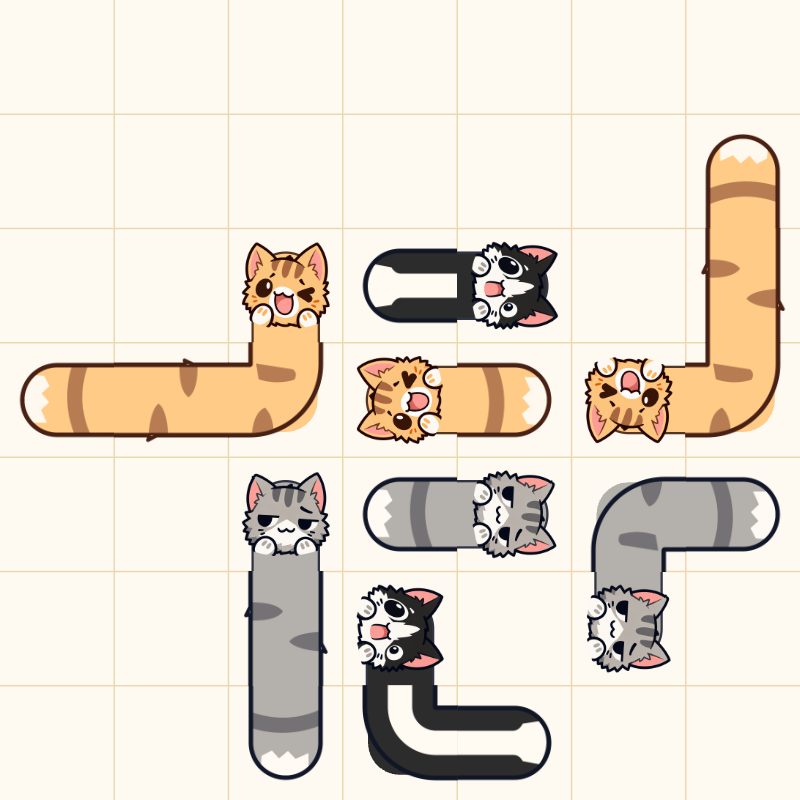
Cat Dash is a free online cat escape puzzle game. Tap a long cat and it slides in the direction its head faces, with its body following behind. Your challenge is to work out the order: clear one path, make room for the next cat, and bring the whole board home.
Play right here in your browser with a mouse, touchscreen or the Keyboard play controls. There is no app to install and no account to create. You can take your time studying the board; the puzzles have no countdown timer.
- 100 puzzles
- 9 cat friends
- 34 illustrated scenes
How to play Cat Dash
- Read the head. Each cat faces up, right, down or left. That is its escape direction.
- Check the path. Follow the line ahead of its head to the edge. Another cat in that line blocks the dash.
- Choose the order. Tap any part of a free cat to send it out, then look for the new opening.
Clear every cat to unlock the next level. A blocked attempt costs one of your three hearts. Use Restart for another try or Hint to highlight a cat with a clear exit.
Read the controls and strategy guide →More room, more possibilities
The boards grow from 7×7 to 9×9, and later puzzles require longer sequences of unblocking moves. Long, bent bodies make it worth checking the entire path before you tap.
Earn three stars by clearing a level without bumps or hints. Completed levels stay available in the level picker, so you can replay them to improve your best result. The background changes every three levels, with a final scene for level 100.
Open Cat friends to choose among orange, gray, tuxedo, white, blue, Siamese, calico, black and ragdoll cats. Your selection appears on the next new board; every cat follows the same movement rules.
See the level groups, cats and milestones →A few things to know
Is Cat Dash free to play?
Yes. All 100 puzzles are available free in this browser version. Levels unlock in order as you clear them. There are no in-game purchases or paid hints.
Can I play on a phone?
Yes, use a current browser with JavaScript enabled and tap the cats on the board. On a computer, click with a mouse or open Keyboard play, then use Tab and Enter or Space to choose a cat.
Why will a cat not move?
Look directly ahead of its head. Any part of another cat on that exit line blocks the move. Clear the blocking cat first. The cat's face, rather than the bend in its body, tells you which way it will go.
Does the game save my progress?
Version 1.3.0 saves your current puzzle, unlocked levels, best stars, teams and settings when browser storage and safe saving access are available. One game tab owns autosave. Check the status in Progress & settings and download a backup before changing browsers or clearing data. There is no automatic cross-device sync. The saving guide explains support, backups and older saves.
Is this the Cat Escape game with guards?
This site features Cat Dash, a separate direction-based cat puzzle. Its challenge is clearing long cats from a grid in the right order. It does not include guard patrols, stealth rooms or virtual-pet feeding.
How do I turn the music on?
Sound starts with your first game interaction unless you have saved a muted preference. If the button beside the title says Sound Off, tap it to turn music and effects on. Sound Retry means the audio needs another loading attempt. The game remembers your choice and pauses audio in the background. Read the sound checks if it stays silent.
One little opening can change the whole board.
Back to the cats ↑